nTop 5.47 is here! This release streamlines complex surfacing and lofting workflows with the introduction of Mirror Curve, Evaluate Curvature, and Frame along Curve. As with every release, nTop's dedicated support team is ready to answer your questions. Please visit support.ntop.com to gain access to helpful tutorials and support articles.
Mirror Curve
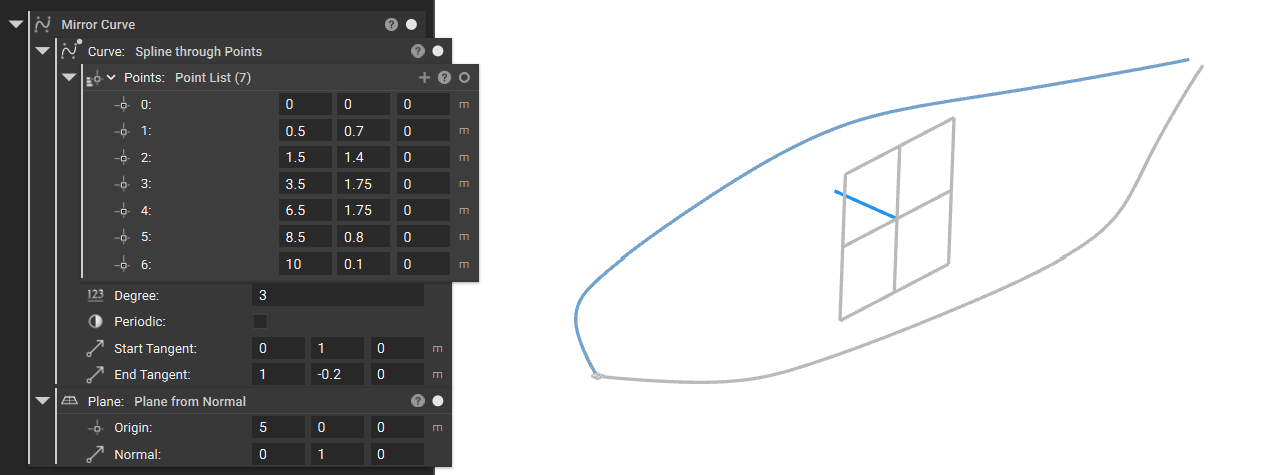
- The Mirror Curve block creates a mirrored copy of an input curve across a specified plane. It generates only the new, mirrored geometry and does not retain the original input curve in its output.
- This block is used for symmetrizing curves for lofting, extruding, or sweeping operations.
- Location: Create > Curves
- Curve: Curve to mirror.
- Plane: Plane about which to mirror the curve.
- Output: Curve
Evaluate Curvature
- The Evaluate Curvature block calculates the curvature of a curve at a specified distance along its length. It returns a scalar value representing the curvature (k) at that point.
- This block is used for identifying regions of rapid curvature change that may impact fluid flow
- Location: Create > Curves
- Curve: Curve to evaluate.
- Distance: Distance along the curve.
- Output: Curve
Frame along Curve
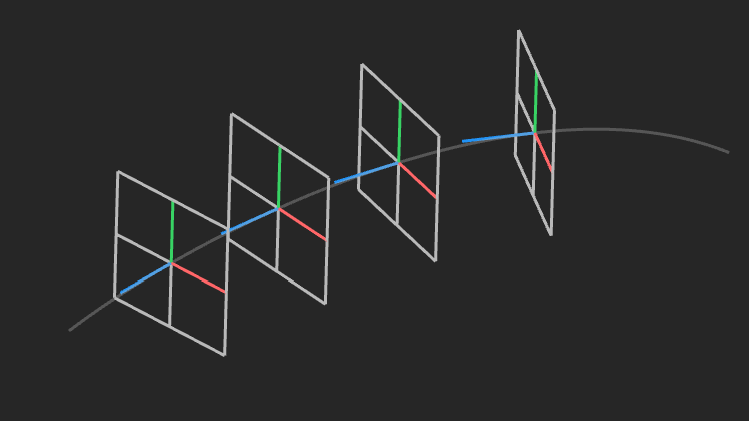
- The Frame along Curve block creates a coordinate reference frame at a specific distance along a curve. The resulting frame orientation is defined by the curve's local geometry at that point.
- Z-axis: Aligned with the curve tangent.
- X-axis: Aligned with the curve normal.
- Y-axis: Aligned with the curve binormal.
- This block is used for creating local coordinate systems while lofting.
- Location: Create > Curves
- Curve: Curve to evaluate.
- Distance: Distance along the curve to create the frame. If this value is outside of the range from zero to the length of the Curve, the point will be extrapolated. The extrapolation will be linear for Lines and Splines, and circular for Arcs. If Curve is a Polycurve, the extrapolation will be based on the type of the segment at the corresponding endpoint.
- Output: Frame