Question:
How do the Sweep along One Rail and Sweep along Two Rails blocks work?
Answer:
Sweep along Two Rails
The Sweep along Two Rails block creates an implicit body by sweeping a section along a path defined by two rail curves and a spine. Because the section's position, rotation, and scale are all driven by the rails, the resulting shape can taper, twist, and change size along its length, rather than staying constant like a basic sweep.
Definitions
-
Rail: The primary curves defining the trajectory of the swept section. They control the position, scale, and rotation of the section within the spine plane.
- Valid: Linear, nonlinear, nonplanar, closed
- Invalid: Non-monotonic with respect to the spine or another rail
-
Spine: Controls the orientation of the plane of the moving section.
- Valid: Linear, nonlinear, nonplanar, closed
- Invalid: Non-monotonic with respect to a rail
- Section: The (implicit) planar shape at any given point along the sweep.
- Caps: When checked, closes the swept body with planar caps at the start and end of the spine.
Basic Controls
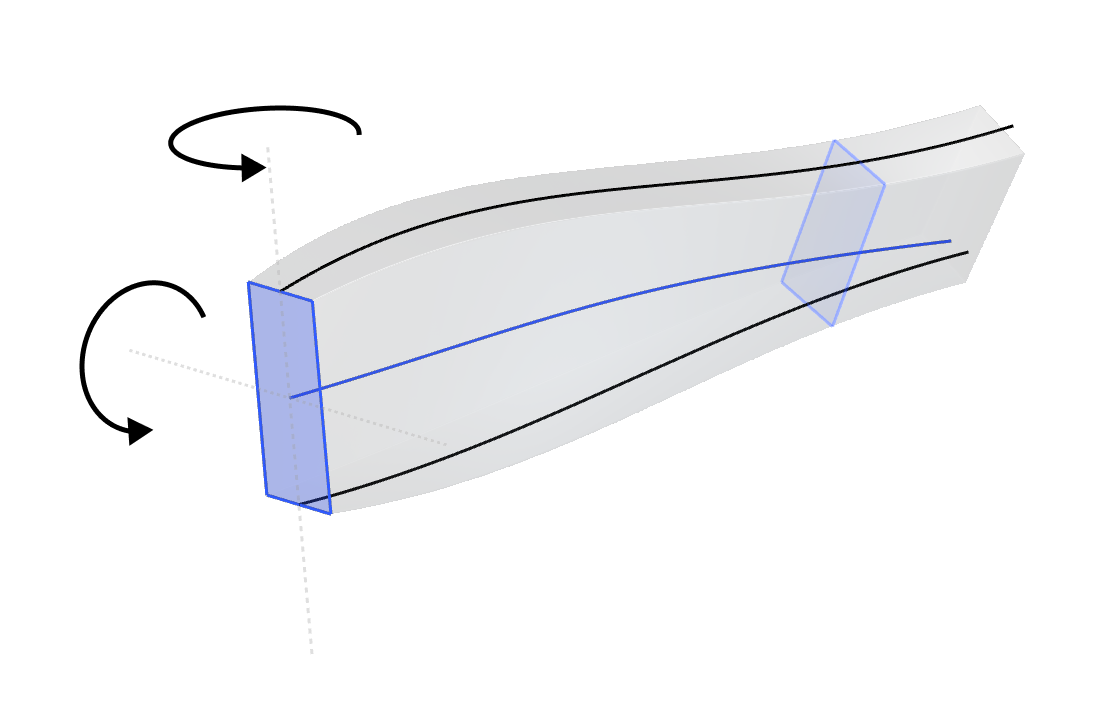
- Trajectory: The path along which the section is swept, defined by the two guide rails.
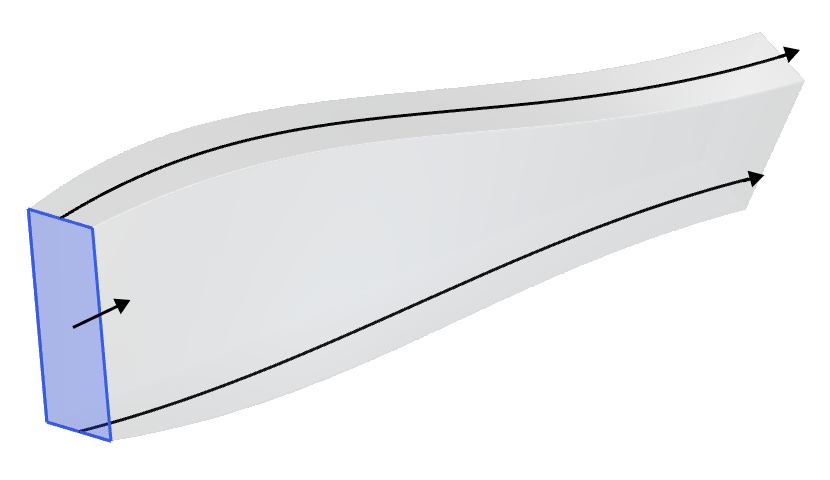
- Rotation: The in-plane rotation of the section being swept, controlled by the rails.
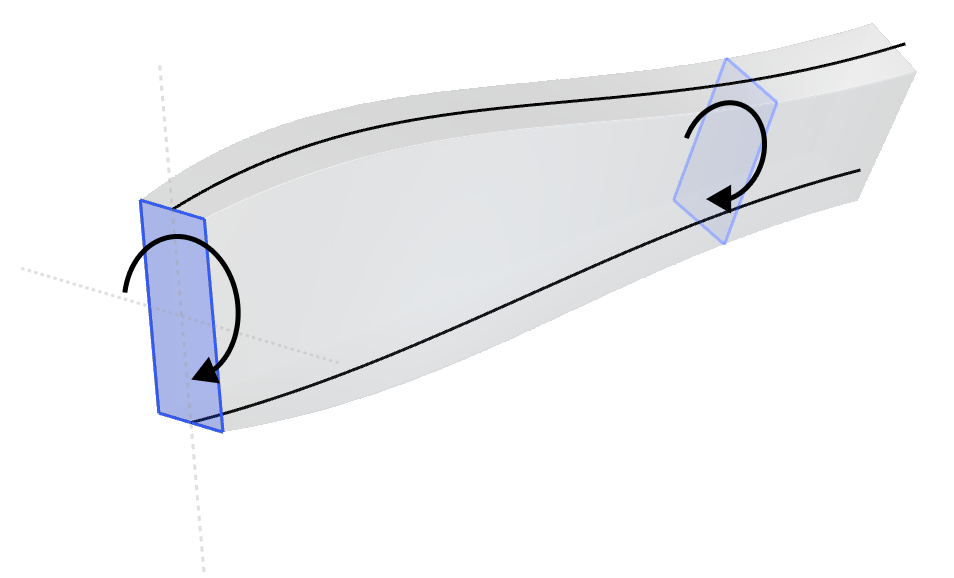
- Orientation: The orientation of the plane of the section at any point along the path. The orientation is always perpendicular to the spine.
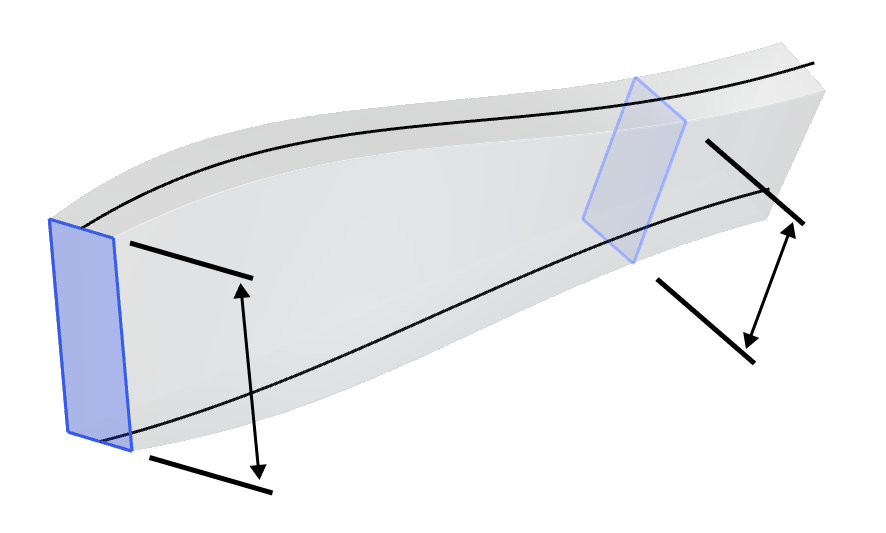
- Scale: The in-plane scale of the section at any point along the path, controlled by the second rail (or a law). Scaling is typically uniform, but if a third rail is provided, non-uniform scaling is applied.
Overloads
The block can sweep either a Profile or a planar section of an Implicit Body. A shape to sweep and a starting plane are both required for the sweep — the Profile overload fully defines these using the input Profile's own properties.
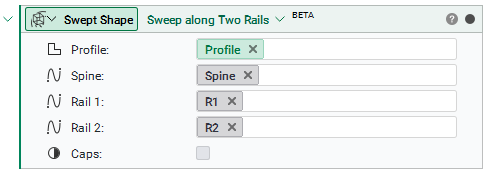
Note: The swept result is the exact planar slice of the body at the starting plane, not a profile created using Section Body.
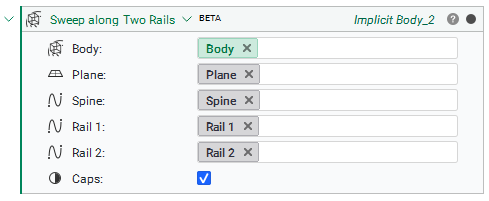
The Implicit Body overload instead requires both the Body and a Plane that defines the planar section of the body to sweep.
Example: Sweeping an airfoil to create a wing
To create a wing, the setup is as follows:
- Profile: The airfoil to sweep.
- Spine: A line in the spanwise direction. The airfoil sections remain orthogonal to this line, keeping them streamline-aligned.
- Rail 1: Leading edge.
- Rail 2: Trailing edge.
- Caps: True, to create a trimmed wing.
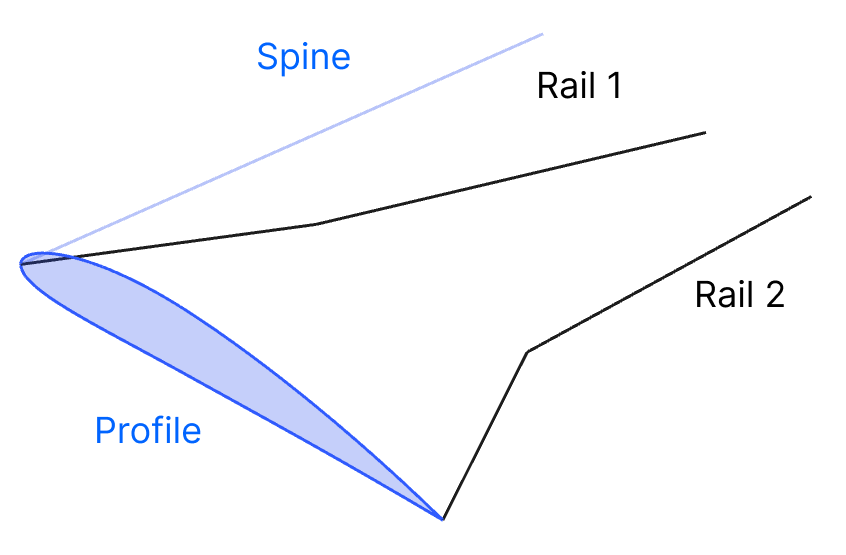
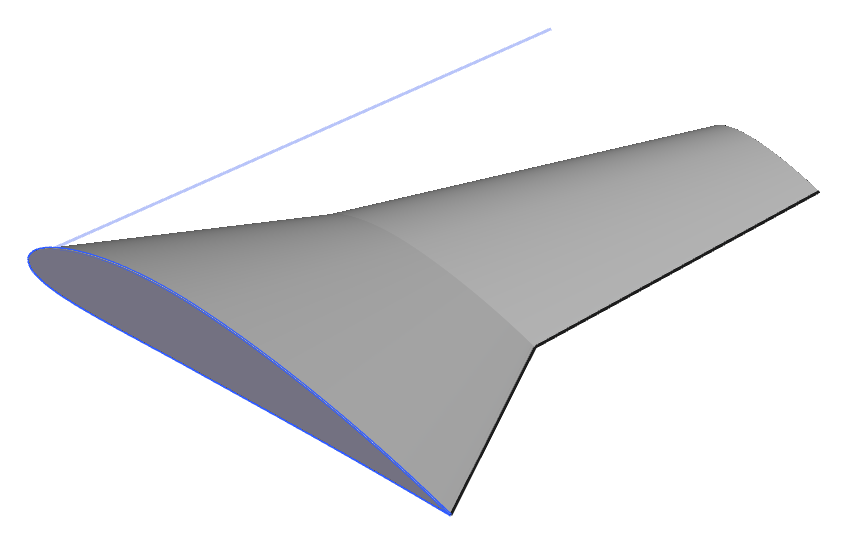
The block outputs an Implicit Body representing the swept geometry.
Tip: If the swept result looks twisted or self-intersects, check that the Spine and Rail curves all start and end near the same relative locations, and that they run in a consistent direction. Rails that diverge significantly in length or shape from the spine can produce unexpected results.
Sweep along One Rail
The Sweep along One Rail block creates an implicit body by sweeping a section along a path defined by a rail curve and an alignment vector field. Instead of having a second rail, the opposite edge is controlled by the Alignment and Scale inputs. The Spine input is optional, but in many cases is necessary for defining the section Plane orientation.
Overloads
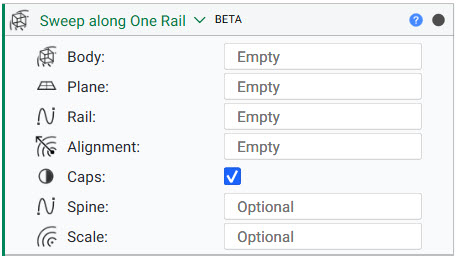
The overloads for the Sweep along One Rail block are very similar to the Sweep along Two Rails block. They follow the same premise of one being driven by a Profile, and the other by an Implicit Body with a plane to define where the cross-section occurs.
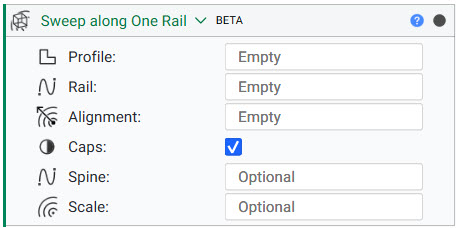
Example 1: Sweeping an airfoil to create a wing
To create a wing, the setup is as follows:
- Profile: The airfoil to sweep.
- Rail: Leading edge.
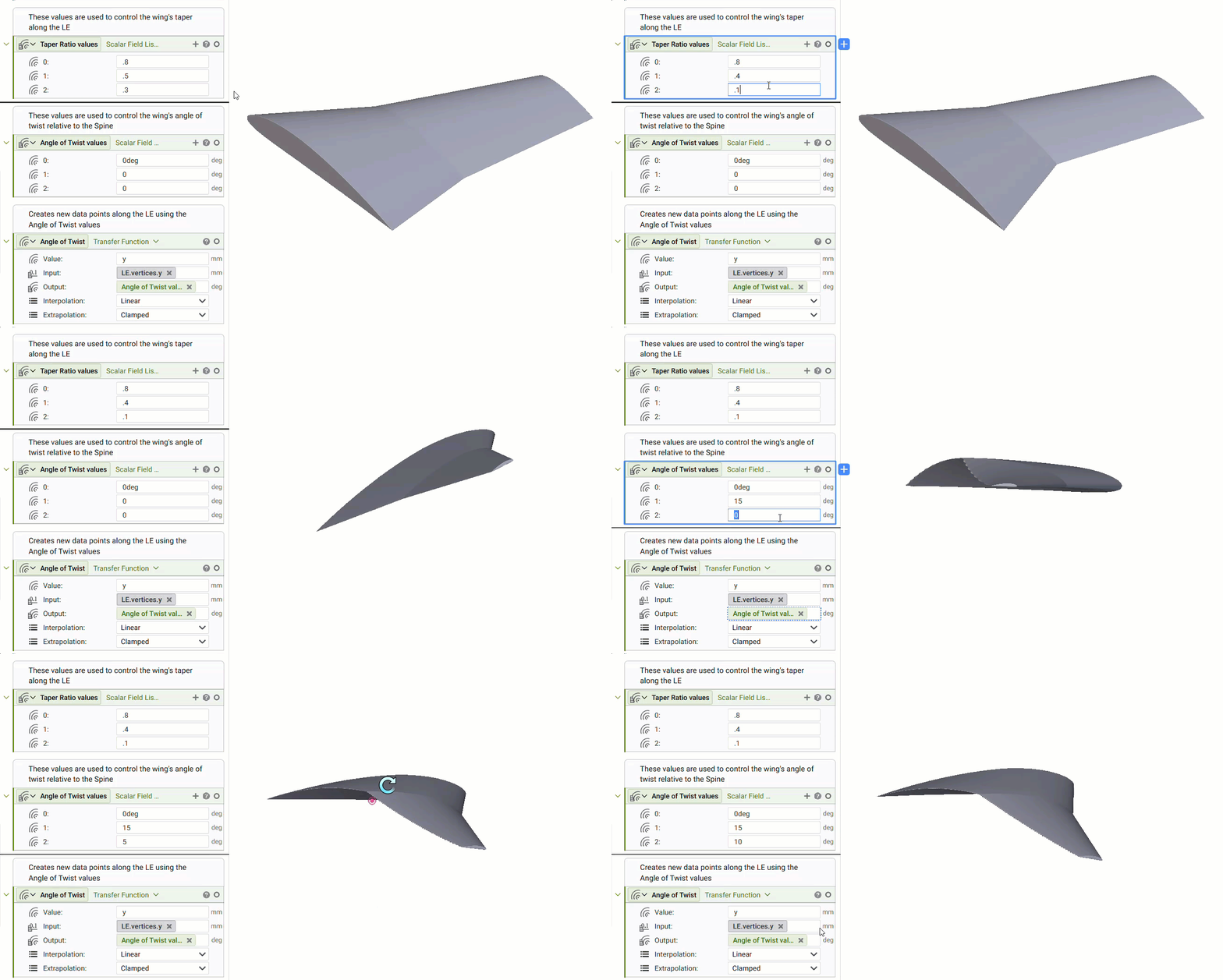
- Alignment: Vector field generated using the Angle of Twist values and Transfer Function
- Caps: True, to create a trimmed wing.
- Spine: A line in the spanwise direction. The airfoil section remains orthogonal to this line, keeping them streamline-aligned.
- Scale: Scalar field generated using the Taper Ratio values and Transfer Function
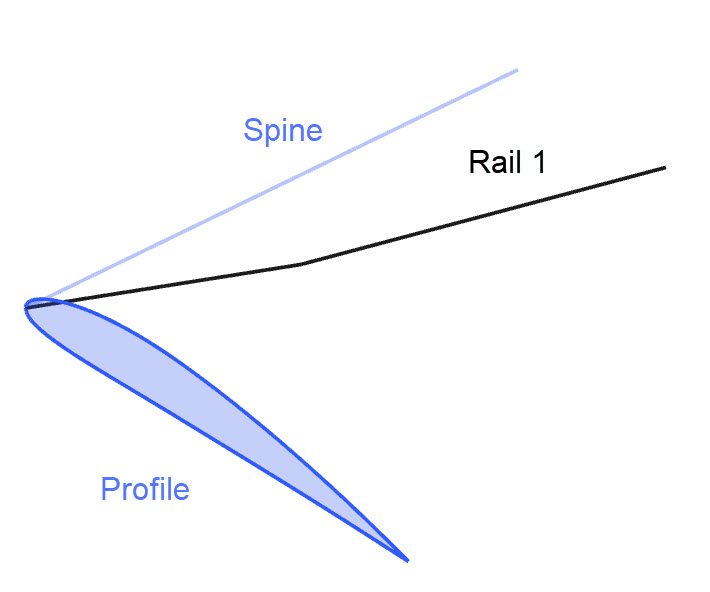
Considering we aren't using a second rail to define the Trailing Edge of the wing, this allows us to control the trajectory, rotation, orientation, and scale using fields. This is demonstrated using both the Alignment and Scale inputs of the Sweep along One Rail block. These inputs use Transfer Function blocks to compute the output field value of a function approximated by a set of field data points.
The gif below shows how adjusting the inputs of the Taper Ratio values and Angle of Twist values variables, changes the shape (taper) and curvature (twist) of the resulting wing.
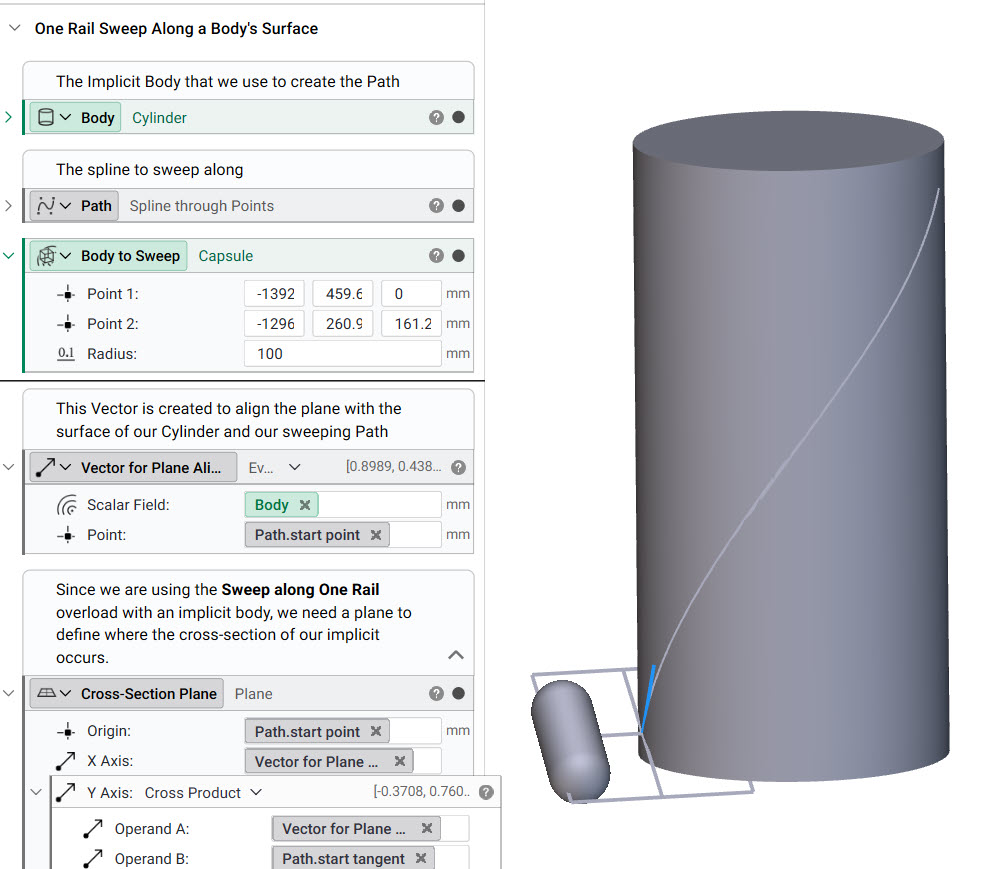
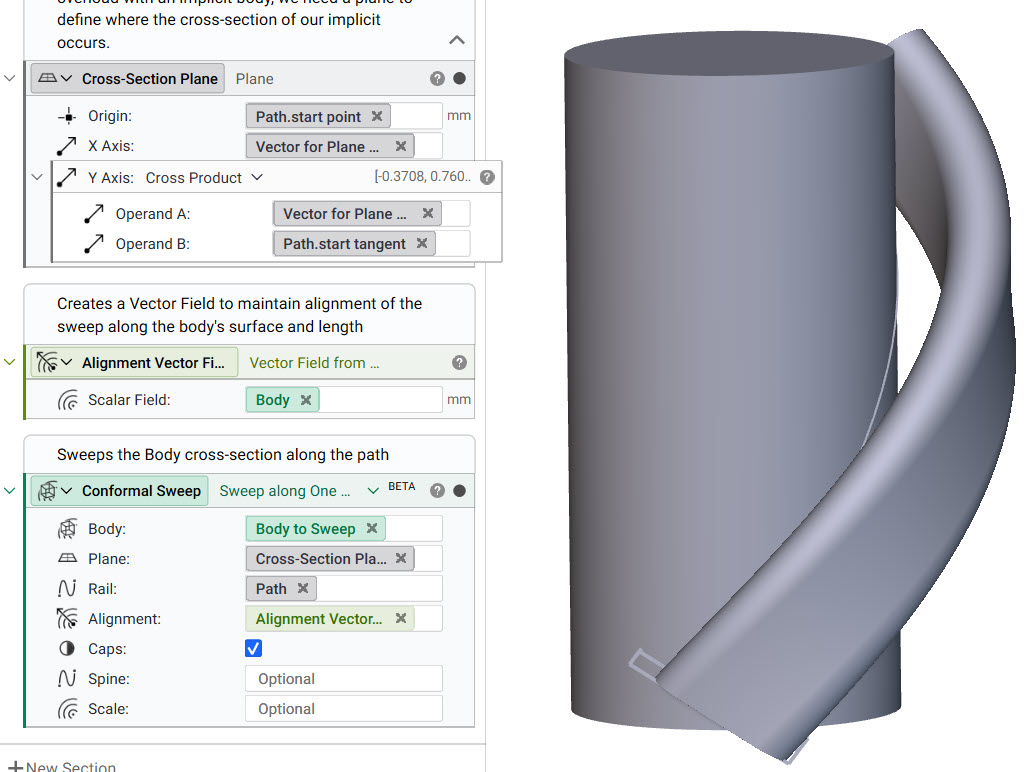
Example 2: Creating a sweep normal to a body's surface
This example demonstrates sweeping the cross-section of a Capsule along a path. The orientation of the capsule is maintained along the sweep to be normal to the cylinder's surface. The setup is as follows
- Body: The Capsule block
- Plane: A Plane located at the start point of the Path. It's axes are defined by the normal direction of the Cylinder's surface and the Path tangent
- Rail: A Path along the Cylinder's surface created using the Spline through Points block
- Alignment: A vector field of vectors that are normal to the Cylinder's surface.
- Caps: Enabled to trim the sweep at the end of the Path