Issue:
When using math blocks I was expecting to get a scalar variable as the result. Instead, I got a scalar field. How can I get a scalar variable instead?
Applies to:
- Blocks, Math, Overloads
Cause:
This is happening due to the block's Overloads. Overloads allow you to change the input and output type of the entire block.
Solution:
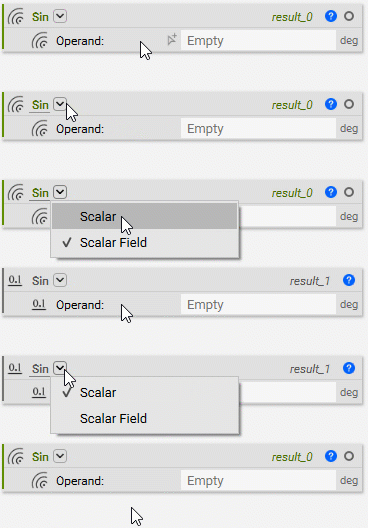
To get a scalar variable, use the block's Overload to change the type for the input and output.
To do this, select the downward arrow after the block name and choose the type you want. This sets the block to have a different type for the input and output.