
Objective:
Learn how to create a Finite Element (FE) Mesh from an existing model.
Applies to:
- Simulations
Procedure:
1. Import or create geometry: To create an FE Mesh, you need a starting body that can be meshed. You can import a CAD part, or you can create an Implicit body. If you're using CAD, you will need to extract the CAD Body from the part (How to work with CAD bodies).
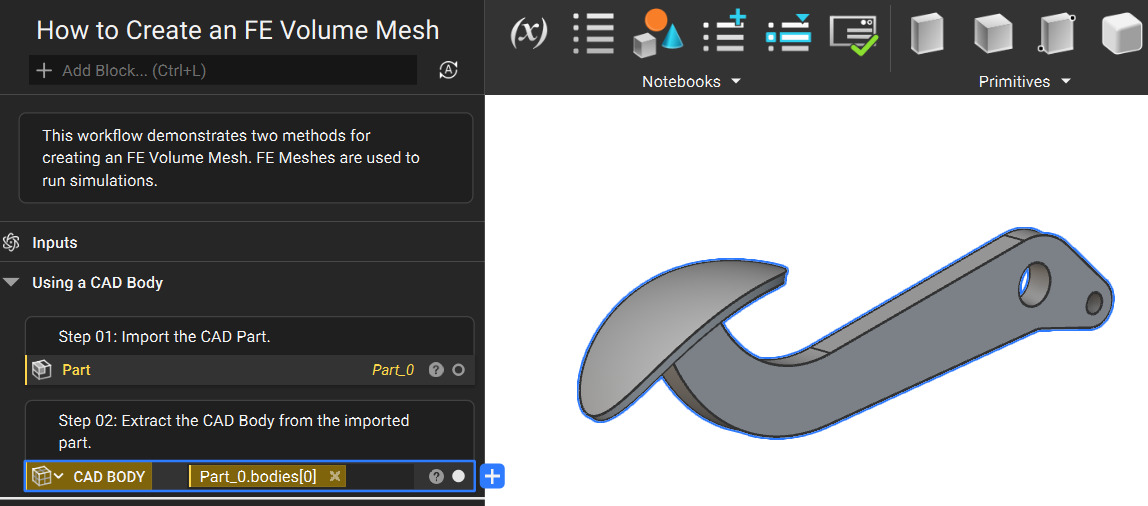
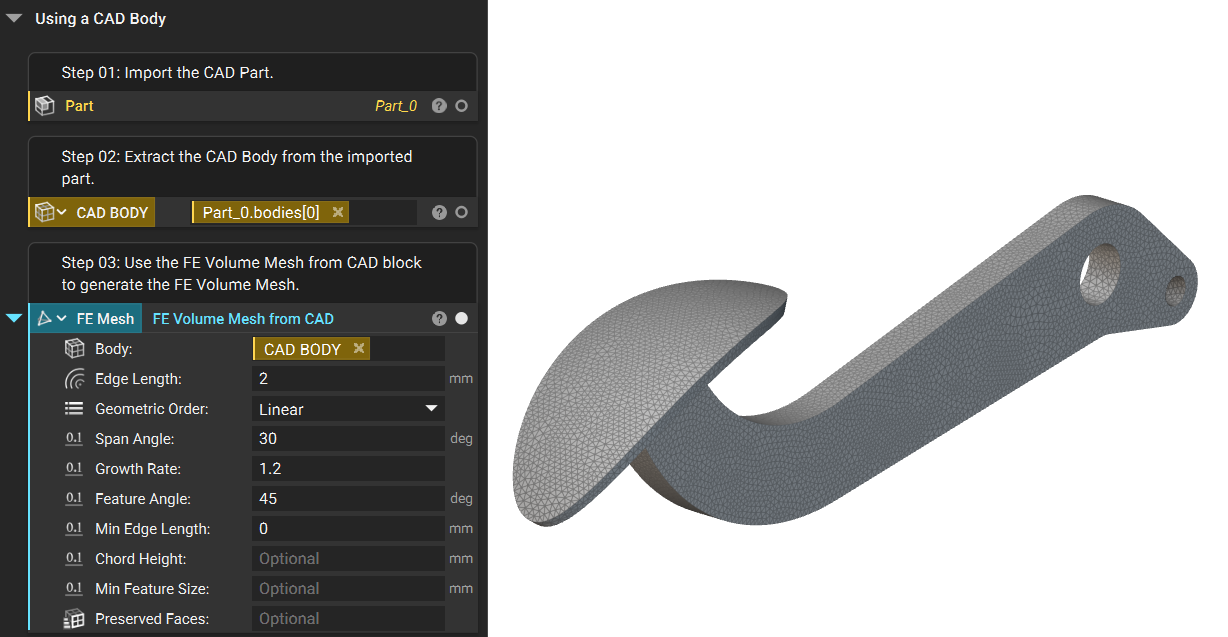
2. Create an FE Mesh: Use the FE Volume Mesh from CAD block to generate the FE Mesh.
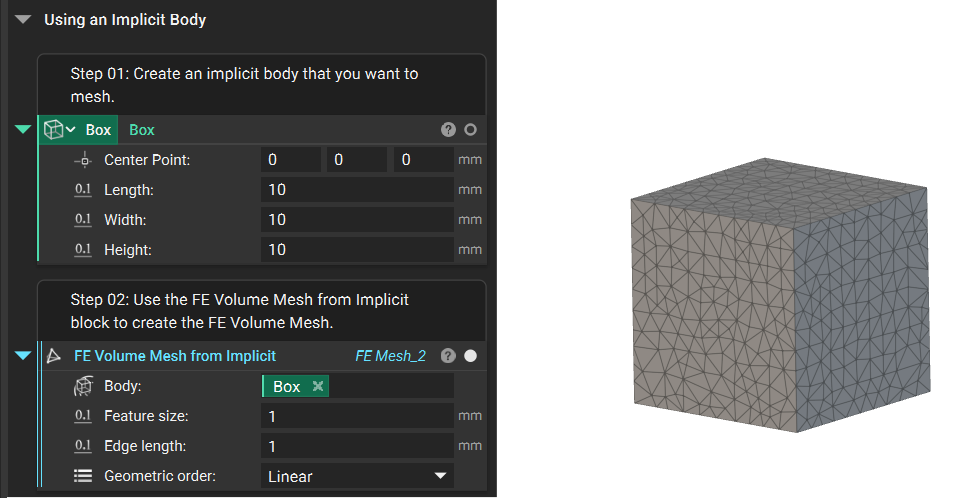
2b. Implicit Body: If you are starting from an Implicit Body instead of CAD, you can use the second section of the workflow.
And that’s it! You’ve successfully created an FE Mesh.
Are you still having issues? Contact the support team, and we’ll be happy to help!