
Objective:
Learn how to create a variable lattice thickness driven by 3D Simplex Noise in a Ramp. This technique is useful for creating Stochastic foam.
Procedure:
1. Start with any Implicit Body.
2. Add a Ramp to use as a thickness modifier.
- In the Scalar Field of the Ramp, add Simplex Noise 3D.
- Change the frequency to vary the thickness.
- Set the Ramp values:
- In Min: -0.5, In Max: 0.75.
- Out Min: 0.17 mm, Out Max: 0.8 mm (right-click on the Out Min and Out Max input names to turn them into variables, allowing you to easily change the beam thickness).
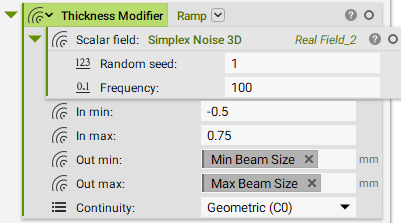
3. Add a Voronoi Volume Lattice.
- Seed points: Random Points in a Body.
- Thickness: Ramp created from the above step.
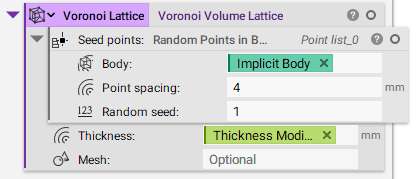
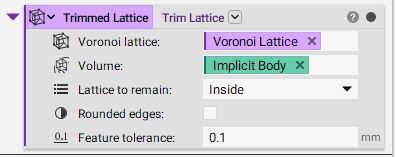
4. Add a Trim Lattice.
- Voronoi lattice: Voronoi Lattice.
- Volume: Implicit Body.
- Lattice to remain: Inside.
- Feature tolerance: 0.1mm.
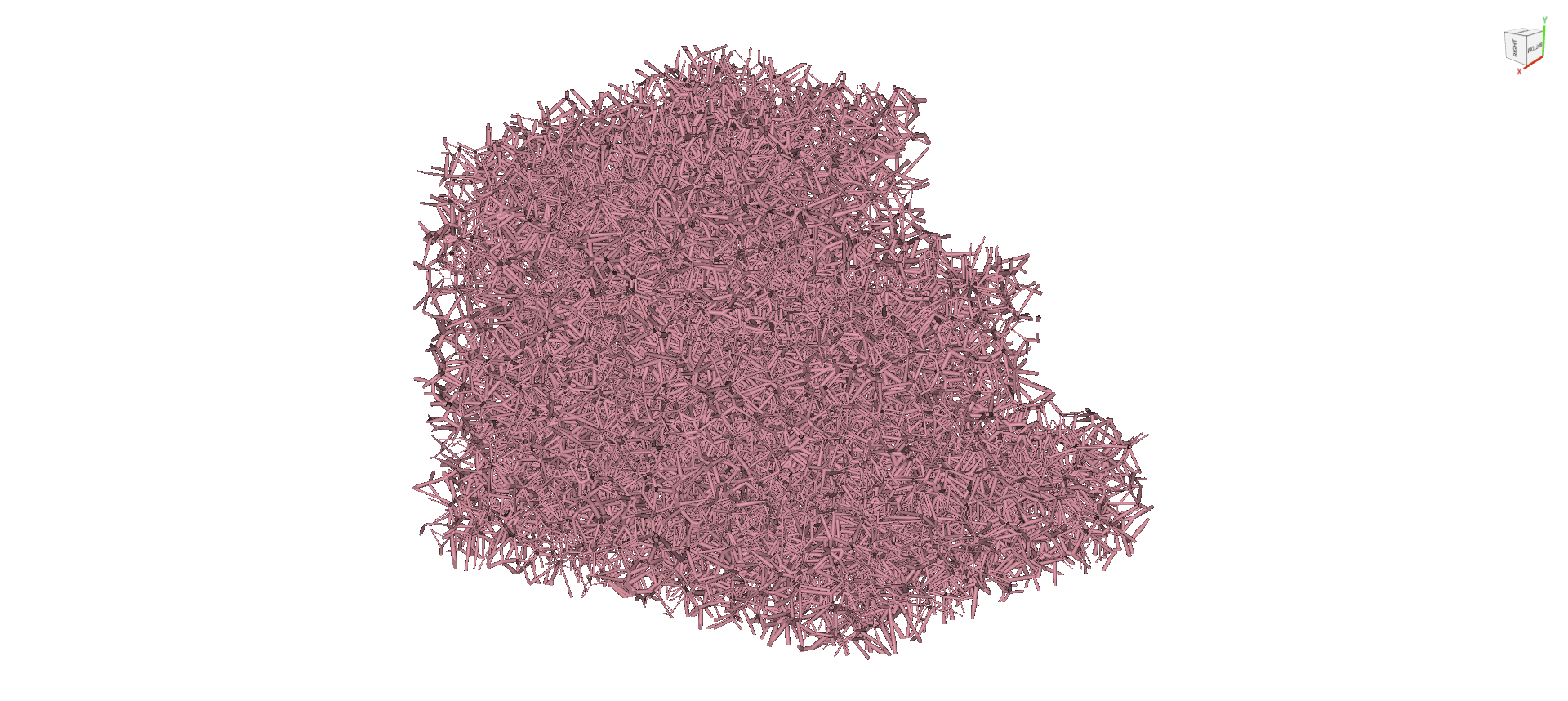
And that’s it! You’ve successfully created a lattice with a randomized beam thickness.
Are you still having issues? Contact the support team, and we’ll be happy to help!