
Objective:
Learn how to calculate the infilled percentage of a shelled and filled body
Applies to:
- Lightweighting
- Lattice
- Math blocks
Procedure:
Creating a Shelled and Infilled Body is the first step toward calculating the infill percentage.
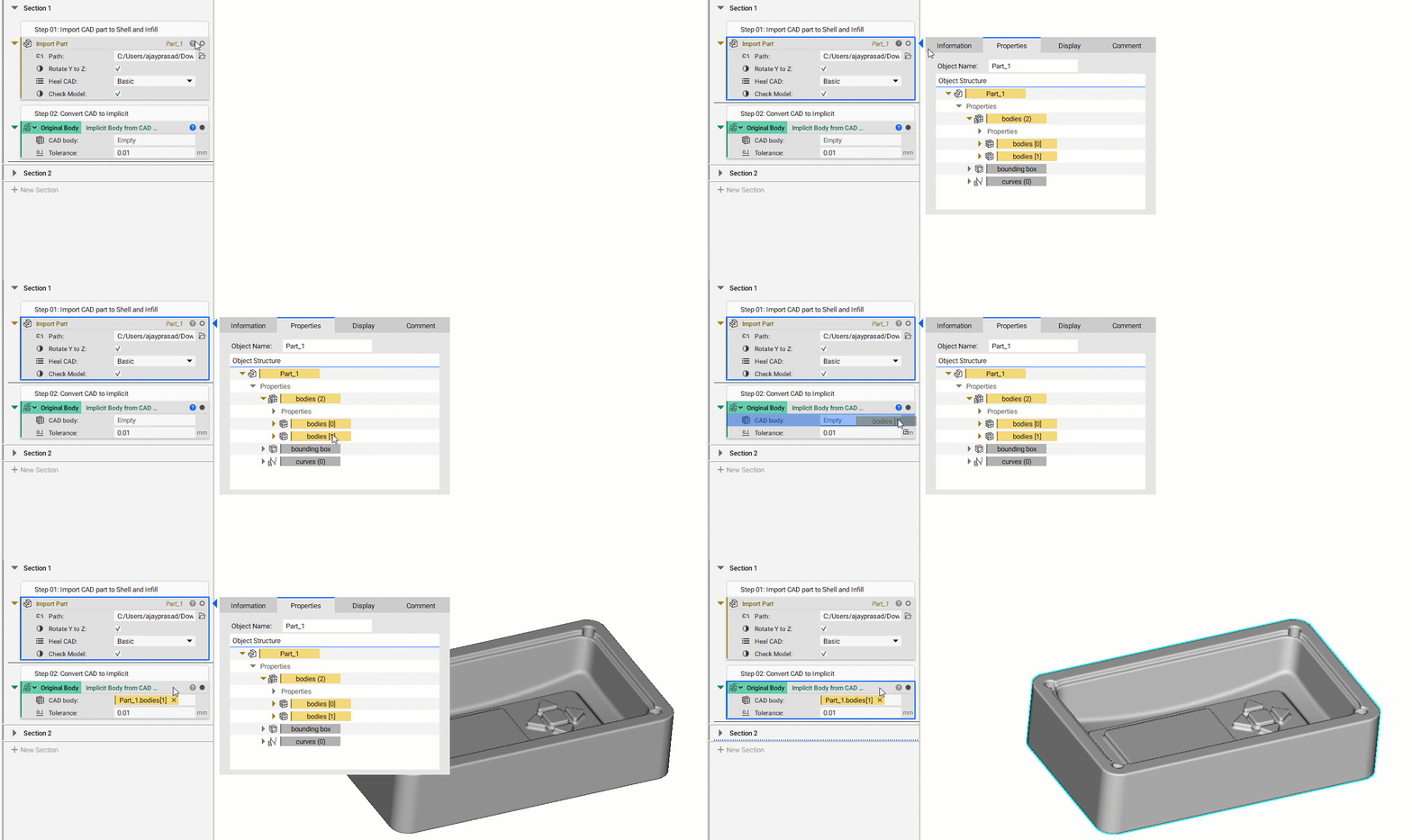
1. Import CAD Part and convert to Implicit: You must start with geometry to create a shell. Import Part block lets you import CAD geometry into nTop (How to import parts and data into nTop). Use the Implicit Body from CAD Body block to convert your imported geometry into an implicit body. Then create a variable out of the Implicit body to be used in multiple places (How to create variables).
2. Shell and Infill: Shelling and infill can be done by using one block, Do this by Shell and Volume Lattice block. Drag and drop the Implicit Body variable from the above step into the Body field. Choose your preferred Lattice type, Cell size, Rotation, Lattice thickness, Shell thickness, and Blend radius. In this step, you can also create variables of the input field to be used in multiple places.
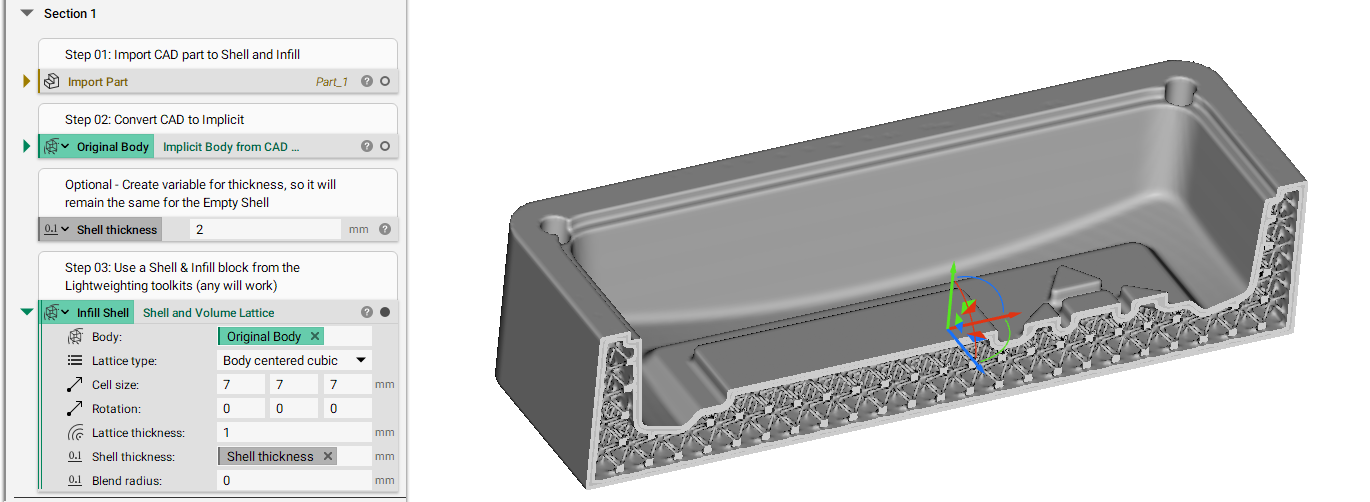
I have used the Section Cut to show a preview of the BCC infill (How can I section cut my part to see inside?)
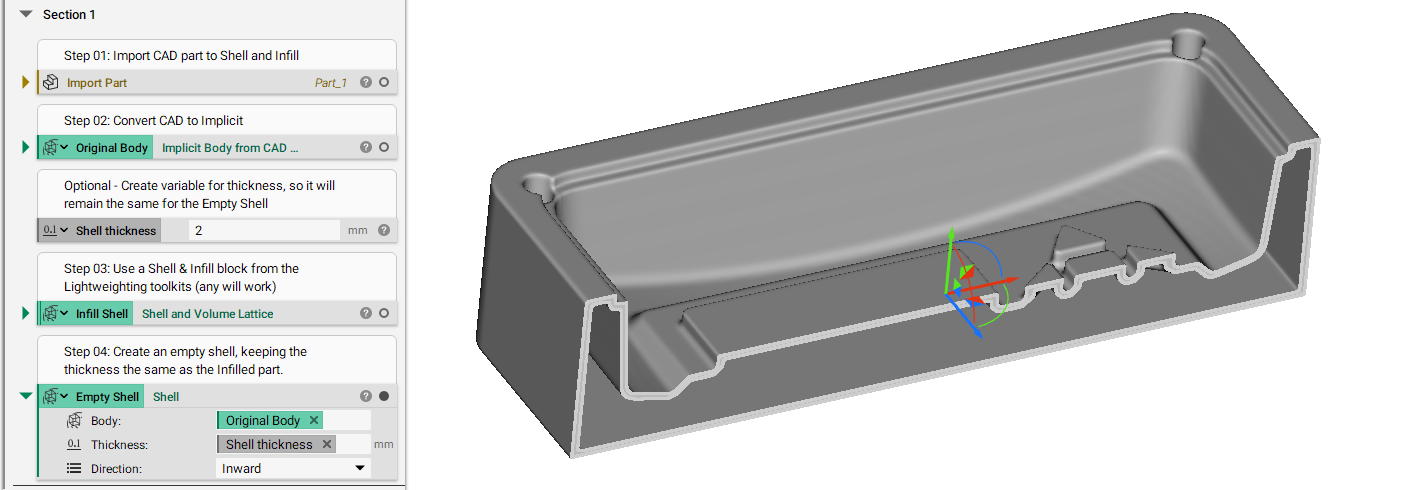
3. Shell: Use the Shell block to create an empty shell that will be used to calculate the infill percentage of the original and infilled bodies.
4. Calculating Volume of Body: Calculate the volume of all bodies individually using Mass Properties block.
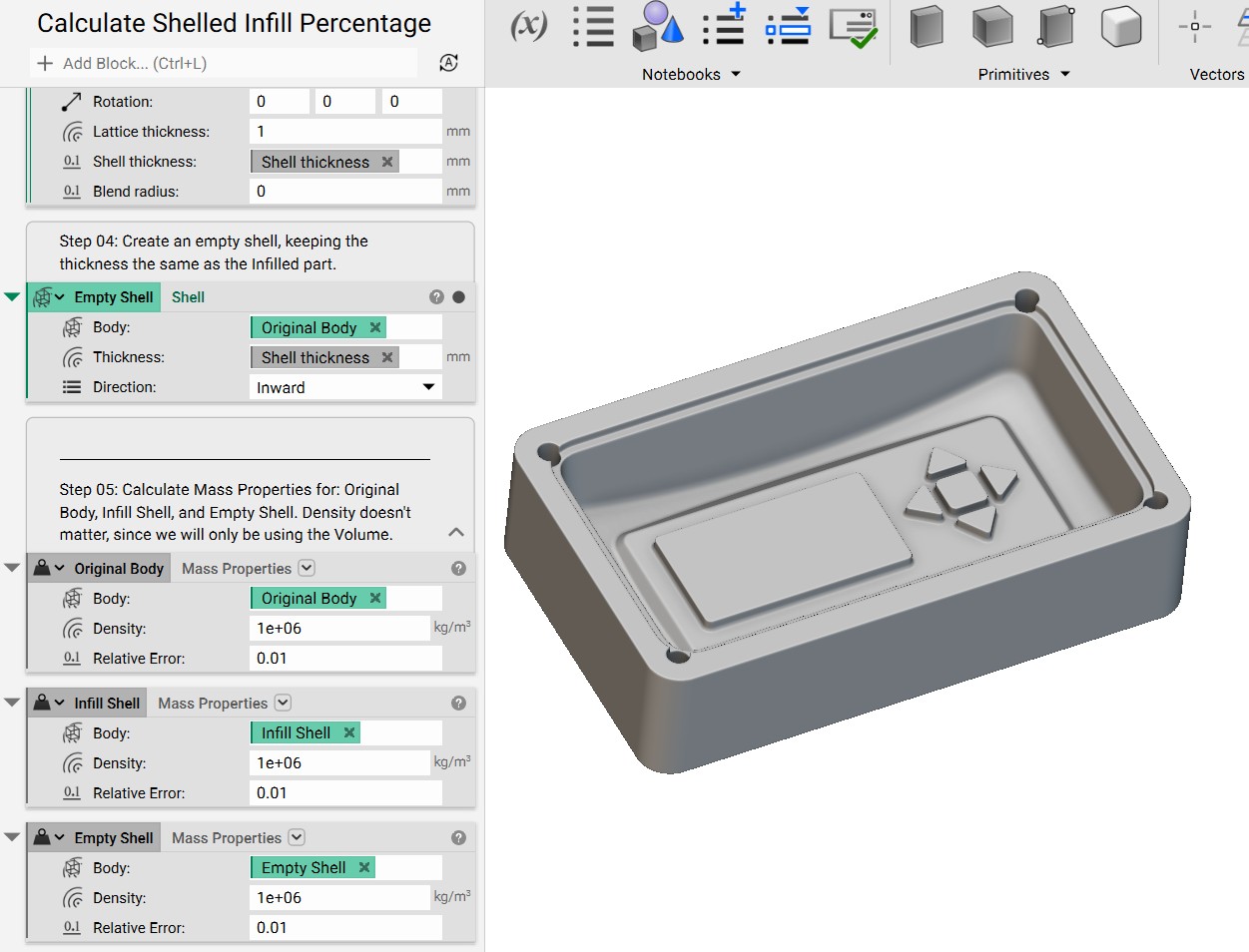
5. Calculate Infill Percentage: To calculate the infill percentage, we need to obtain the Total Inner Volume, Infill Volume.
- Infill Shell Vol - Empty Shell Vol = Infill Volume
- Original Body Vol - Empty Shell Vol = Total Inner Volume
Use the Subtract block, drag and drop volume chip from Properties panel of Mass Properties block of required bodies. Use Divide and Multiply to obtain the infilled percentage from the volumes.
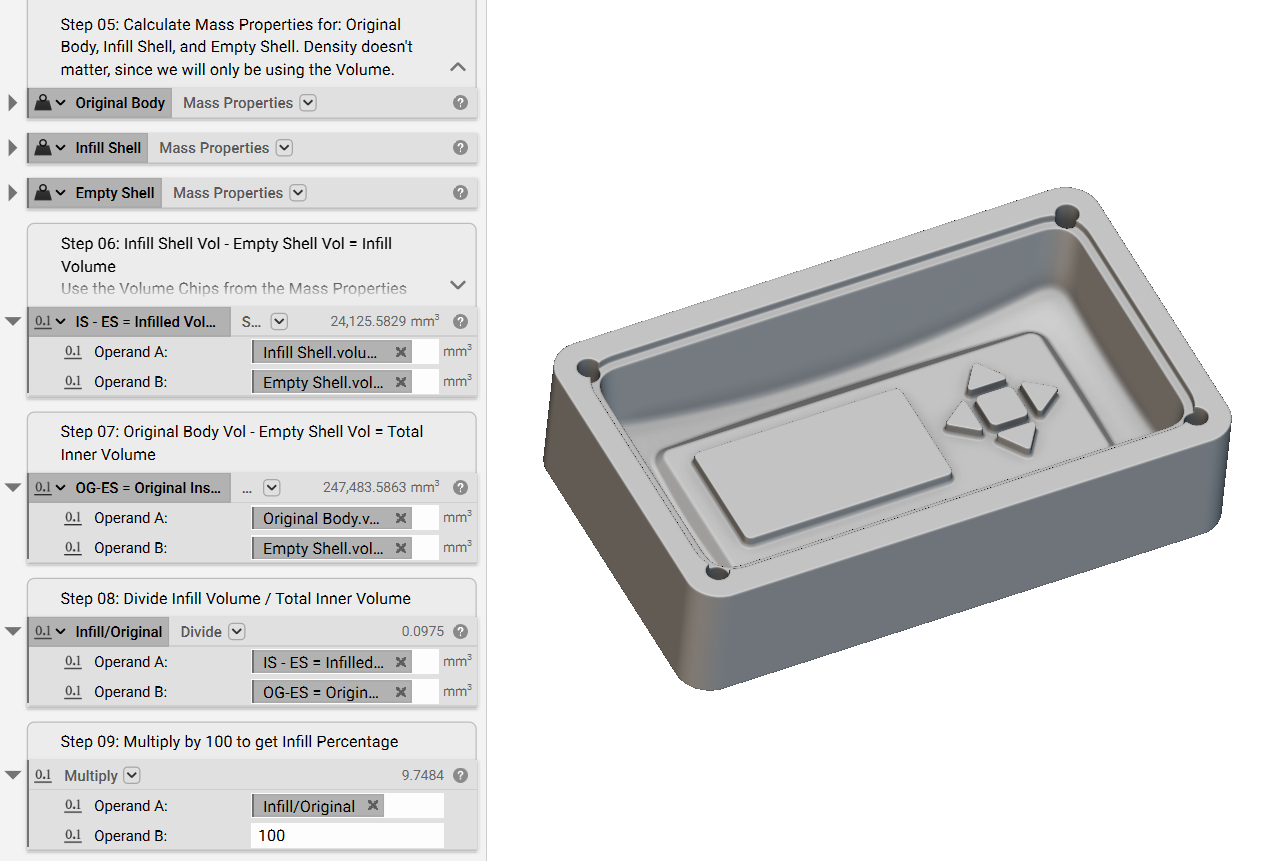
And there you go! You should now have calculated your infill percentage if you've followed the instructions. Now, you'll be able to navigate math blocks with ease.
If you still have questions, the support team would be happy to help you.
Download the Example file:
- Lattice Workflow: Lattices from Mesh
- Lattice Workflow: Unit Cells, Cell Maps, and Lattice Bodies
- How to Blend TPMS types