
Objective:
Learn how to create a TPMS by using math equations. This example creates a Schwarz TPMS
Applies to:
- TPMS
- Math
Procedure:
1. Build the equation using math blocks
The equation for the Schwarz TPMS is cos(x)+cos(y)+cos(z). Equations in nTop are built out by individual blocks. Some equations can quickly become complicated. Due to this, we recommend turning these workflows into Custom Blocks, so you only have to build it once. It is also useful to name each block as the function it is representing.
-
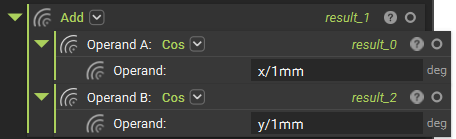
- Add 3 Cos blocks
- In the first Cos block, write in 'X/1 mm'. This gets rid of the units associated with X and allows it to work with Cos.

-
- Repeat this for the remaining Cos blocks using Y and Z instead of X.
- Add an Add block
- Insert Cos(X) and Cos(Y) into the Add block
-
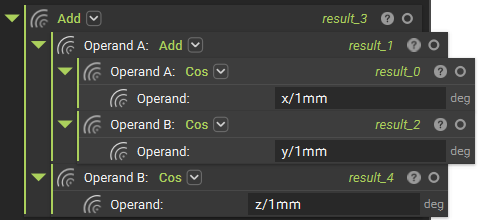
- Add another Add block
- Insert the Add block with Cos(X) + Cos(Y)
- Insert Cos(Z)
- Add another Add block
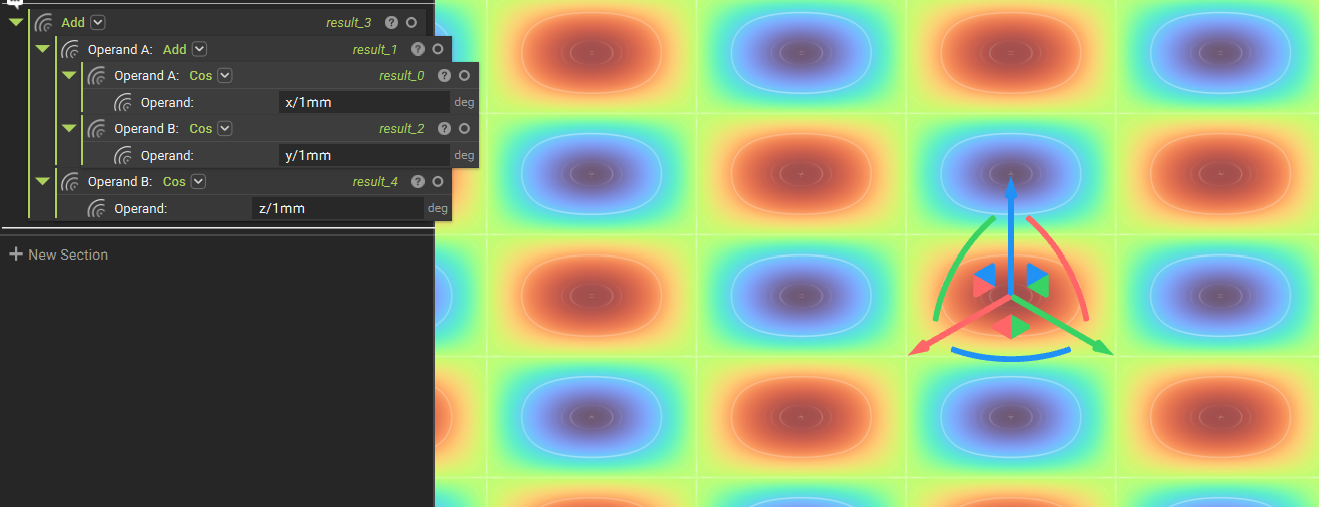
You can now view the results of your equation in the Field Viewer (F).
2. Give your TPMS units
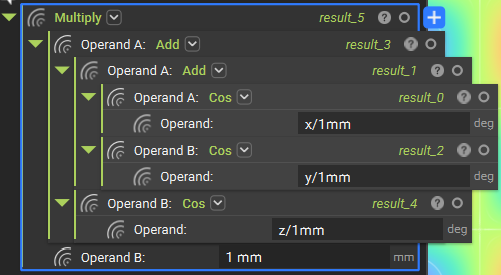
The TPMS field we generated in the above step needs units to be used in other operations. Add units by multiplying the field by 1 mm.
-
- Add a Multiply block
- Insert the equation from Step 1 into Operand A
- In Operand B, write 1 mm
- Add a Multiply block
3. Trim your TPMS down to size
Use the Boolean Intersect block to edit the size of the TPMS
-
- Add a Boolean Intersect block
- Insert the Multiply block from Step 2.
- Insert a body with which you want to intersect the TPMS. In this example, we use a small Box.
- Add a Boolean Intersect block
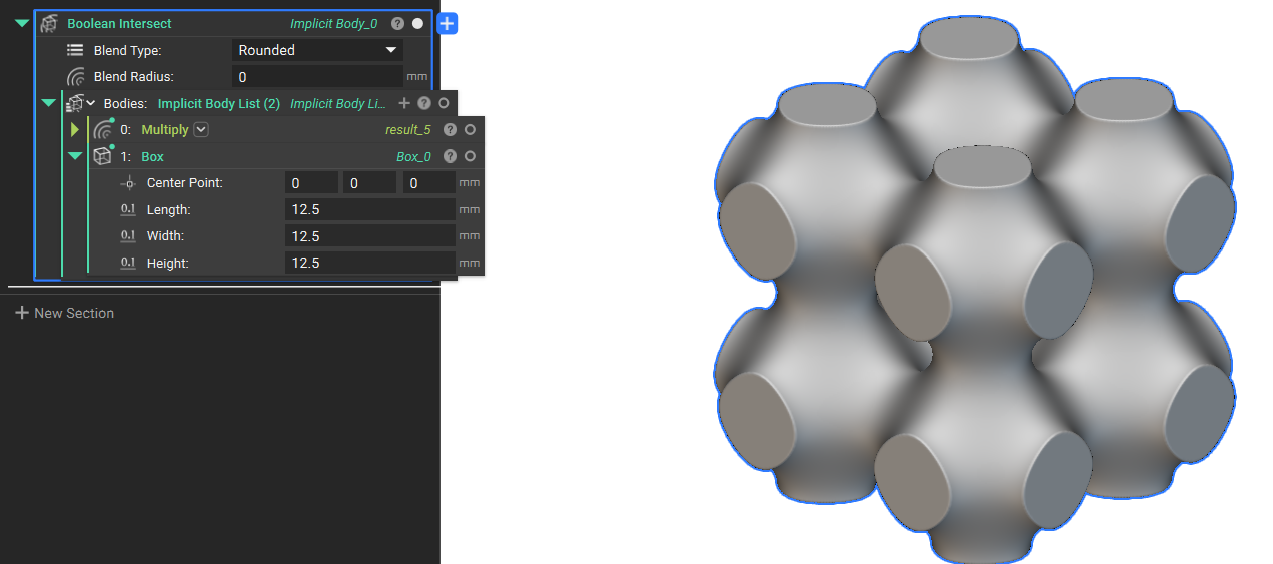
And that’s it! You’ve successfully created a TPMS using math blocks.
Are you still having issues? Contact the support team, and we’ll be happy to help!