
nTop 5.38 is here! This release introduces our Conjugate Heat Transfer (CHT) capabilities, enabling you to analyze coupled fluid and thermal performance. This release also features the new Streamline block for creating flow-aligned structures, alongside algorithm updates for smoother meshing and improved robustness for Parameter Optimization. As with every release, nTop's dedicated support team is ready to answer your questions. Please visit support.ntop.com to gain access to helpful tutorials and support articles.
Conjugate Heat Transfer
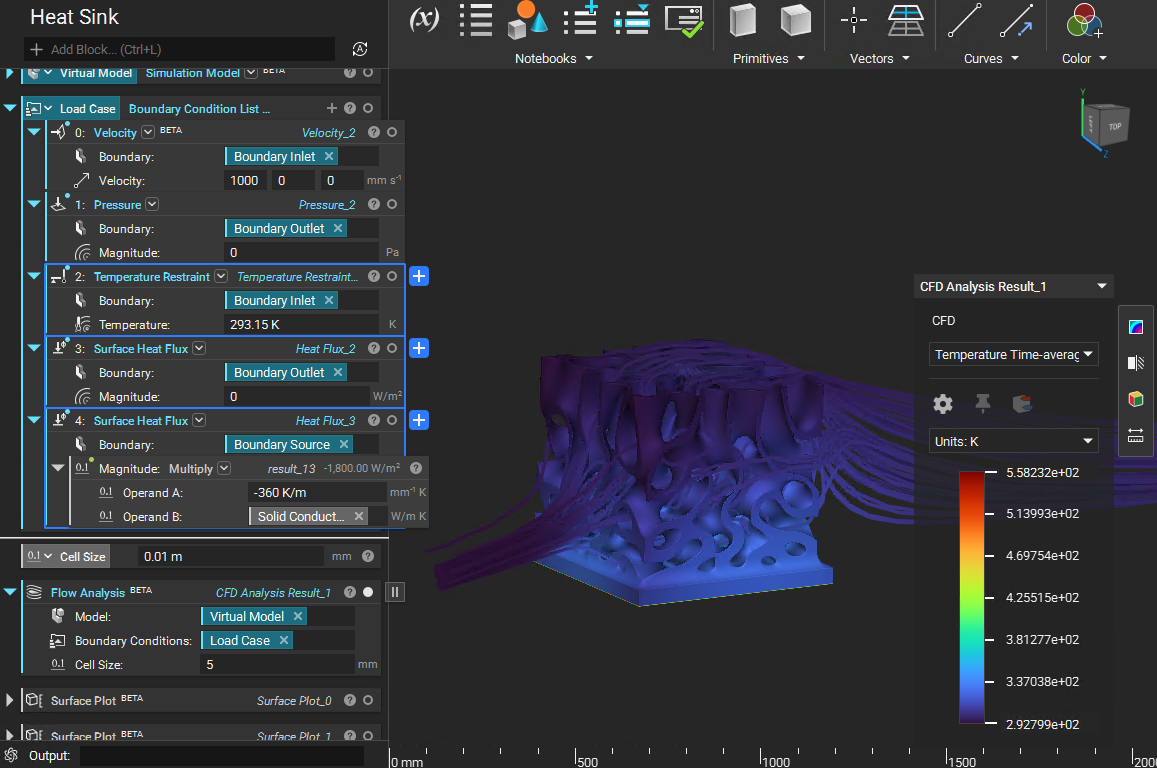
- Conjugate Heat Transfer (CHT) is now enabled for nTop Fluids and can be used with our Flow Analysis block. This feature couples fluid flow and solid heat conduction analysis using an extended Lattice Boltzmann Method (LBM) solver.
- Thermal performance in complex systems, such as heat exchangers, can now be analysed without complex meshing.
- Block Name: Flow Analysis
- Location: Fluids [Beta] > Analysis
- Inputs:
- Model: A Simulation Model containing a Domain List with at least one fluid and one solid domain. It must include the implicit body and relevant material properties (thermal and fluid).
- Boundary Conditions: A list of boundary definitions, including Velocity, Pressure, Temperature, or Heat Flux.
- Cell Size: The scalar resolution of the voxel grid used for the simulation.
- Output: Flow Analysis Result (containing Velocity, Pressure, and Temperature fields).
Streamline
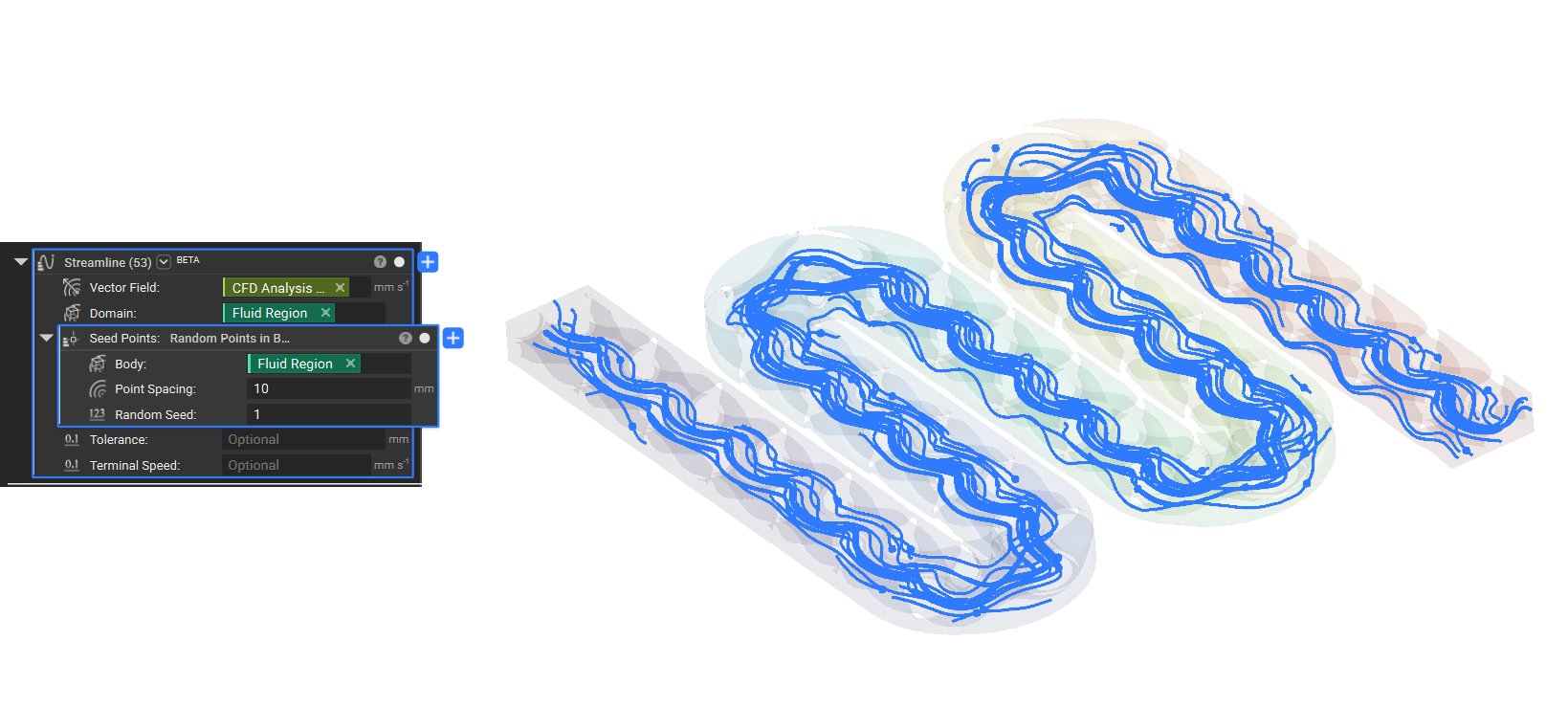
- The new Streamline block generates curves that follow the path of a Vector Field within a specified Domain. These curves can be used to create flow-aligned structures. The streamline will start at the seed point and will continue up to the end of the provided domain.
- Block Name: Streamline
- Location: Fluids [Beta] > Utilities
- Inputs:
- Vector Field: The input vector field to visualize.
- Domain: The Implicit domain of the vector field.
- Seed Point: The starting point (or list of points) for the streamline.
- Tolerance: (Optional) Tolerance used in the integration method. If not provided, the value defaults to the domain diagonal scaled by 10^-6.
- Terminal Speed: (Optional) Speed to be used as a stopping criterion for the integration method. If not provided, the value will be calculated based on the remaining inputs.
- Output: Curve
Tips:
- Generate a single streamline from a specific seed point or use the block's point list overload to provide a list of Seed Points, creating multiple streamlines simultaneously.
- The Streamline block offers optional Tolerance and Terminal Speed parameters for advanced users who need to fine-tune the integration method and stopping criteria.
Usage Improvements
- We have improved the Parameter Optimization to no longer stop when an iteration fails, instead continuing with the failed iteration and assigning it NaN values.
- We have improved the error messaging for Flow Analysis to explicitly error when a defined bulk domain is missing from the generated voxel mesh.
Block Updates
- Mesh from Implicit Body by AT: We have updated the algorithm to generate smoother edges. Additionally, various fixes have been implemented to improve the overall mesh quality.
Bug Fixes
- We fixed an issue where the simulation progress percentage calculation was incorrect in Flow Analysis when a simulation stage exited early (e.g., due to convergence).