nTop 5.29 is here! This release features the Import Superelements block, allowing you to import and use stiffness and mass matrices to represent domains in your nTop simulations and optimizations. We've also added Conic and Cubic Bezier blocks to create smooth, mathematically precise curves and surfaces. Finally, the notebook description and comments now support markdown format, allowing you to add rich text and hyperlinks to your workflows and custom blocks! As with every release, nTop's dedicated support team is ready to answer your questions. Please visit support.ntop.com to gain access to helpful tutorials and support articles.
Import Superelement
- The Import Superelement block imports a .bdf and .fem file to represent structural components that serve as efficient building blocks in larger nTop simulations.
- You can use superelements when developing a simulation or optimization workflow for efficiently modeling multi-component assemblies with repetitive components (e.g., bolts, brackets, etc.) and/or complex subcomponents that don't require in-depth analysis in nTop but can be captured via representative matrices. You can use superelements to develop hierarchical analyses and systems-level studies.
- Location: Beta > Analysis Exchange
- DMIG File: Path to the .bdf file containing the superelement's stiffness, mass properties, and external grid IDs.
- Grid File: Path to the .fem file defining the global coordinates of the superelement's external grid points
- Unit System: The unit system used for the imported superelement. This ensures consistent translation of its properties into the current analysis unit system.
-
Output: Superelement

Conic
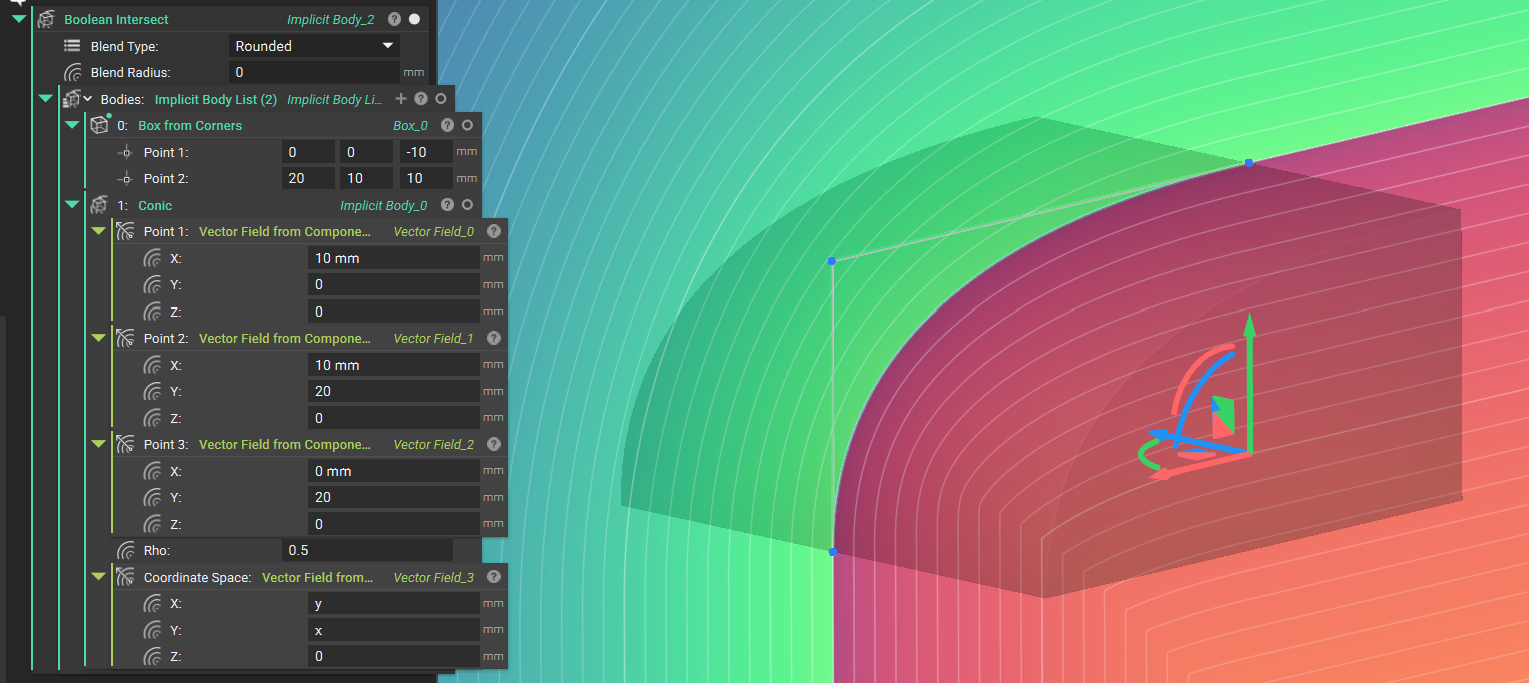
- The Conic block creates an Implicit Body defined by an implicit conic section curve. The signed distance of a planar conic segment will be returned. The block uses three control points (Point 1, Point 2, and Point 3) and a Rho (ρ) value to define the curve's shape.
- Enables designing aerodynamic profiles for wings, fuselages, and other vehicle bodies.
- Location: Create > Primitives
- Points 1, 2, and 3: Control Points for the Conic. The Z component will be ignored.
- Rho: Rho value of the Conic in the range (0,1).
-
Output: Implicit Body
Cubic Bezier
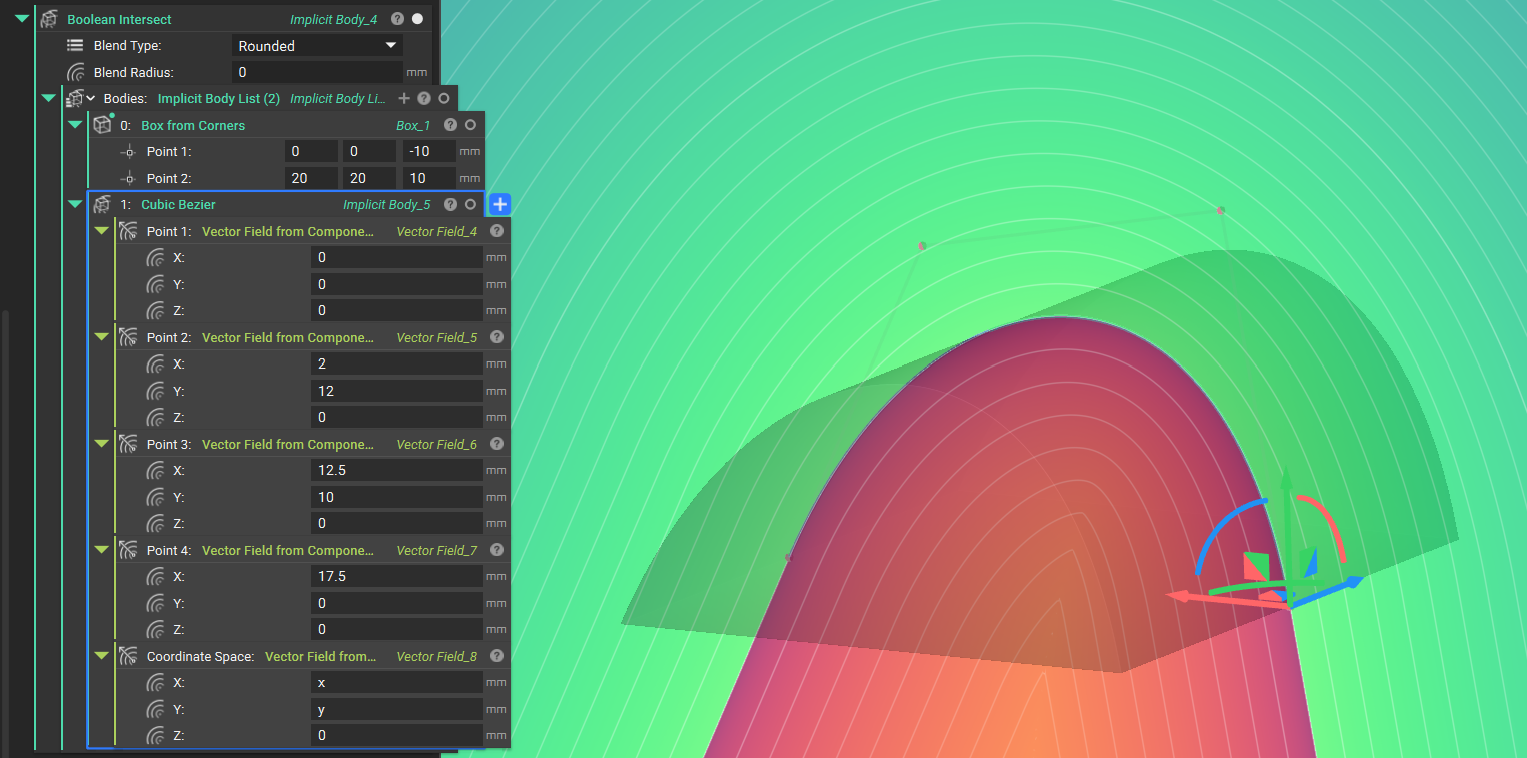
- The Cubic Bezier block creates an Implicit Body whose boundary is formed by a smooth, implicit cubic Bézier curve. Four input points control the shape of the curve.
- Enables designing aerodynamic profiles for wings, fuselages, and other vehicle bodies.
- Location: Create > Primitives
- Points 1, 2, 3, and 4: Control Points. The Z component will be ignored.
-
Output: Implicit Body
Markdown Support
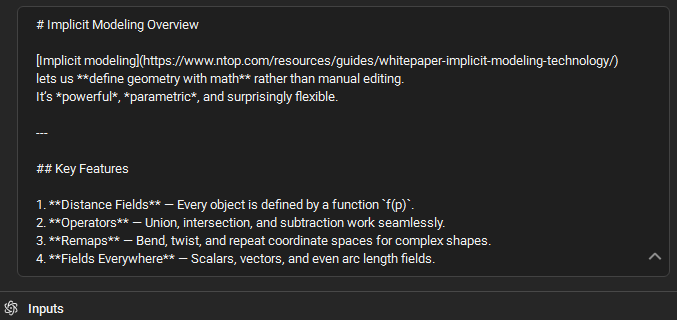
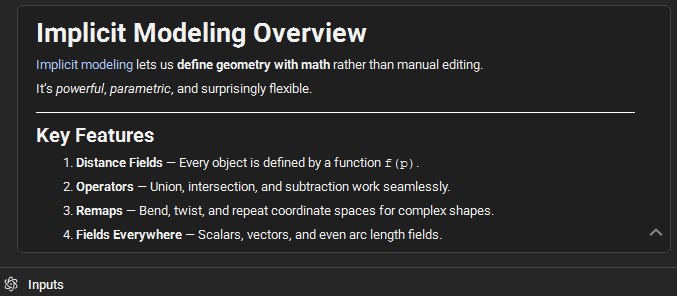
- Markdown is now supported in comments and notebook descriptions. After editing, text with markdown syntax will be recognized and rendered as markdown.
-
This functionality can be used for notebook self-documentation, richer block descriptions, tables, embedded hyperlinks, and more.
Simplified nTop Automate Setup on Linux
- We have streamlined the setup process for using nTop Automate on Linux. Starting in version 5.29, several LD_LIBRARY_PATH exports are no longer required, simplifying the environment configuration. Learn more about nTop Automate for Linux here.
-
Before 5.29
-
After 5.29