
nTop 6.4 is here! This release introduces the new Line Normal to Curve block, along with a Bounding Box from Center overload and a new Mesh from Implicit by AT overload that gives finer control over the meshes it creates. As with every release, nTop's dedicated support team is ready to answer your questions. Please visit support.ntop.com to gain access to helpful tutorials and support articles.
Line Normal to Curve
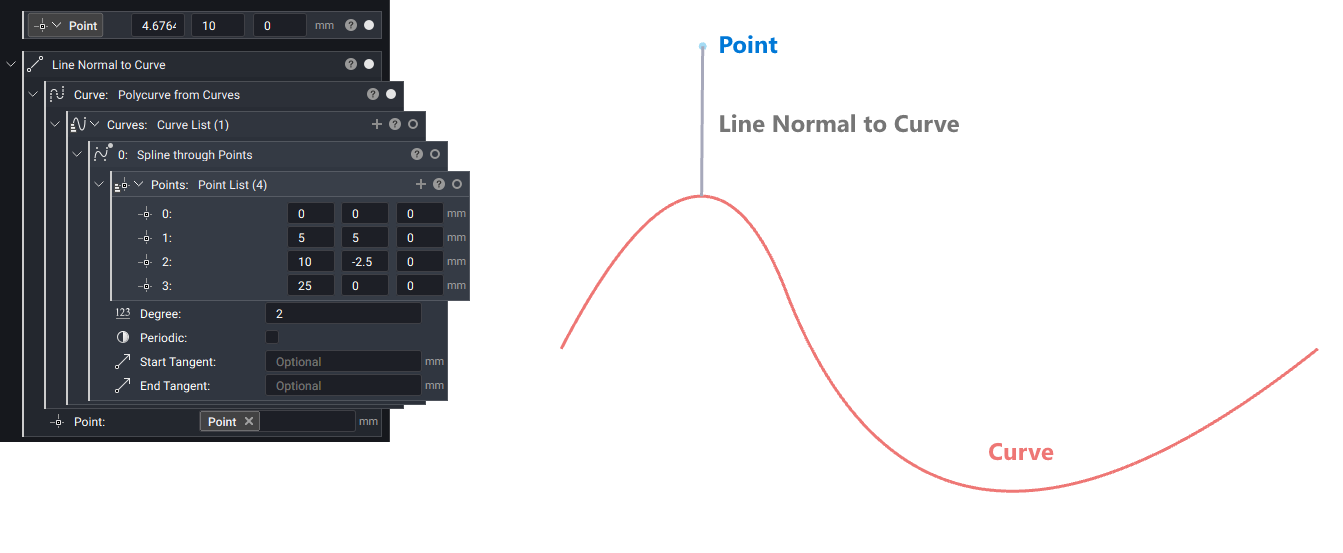
- The new Line Normal to Curve block creates a line segment from the closest point on a curve to a point you choose, so the line is normal to the curve at that location.
- Use it to connect a point to a guide curve with the shortest path, or to measure the distance from a point to a curve.
- Location: Create > Curves
- Inputs:
- Curve: Curve to intersect with the line.
- Point: End point of the line segment.
- Output: Line
Bounding Box from Center
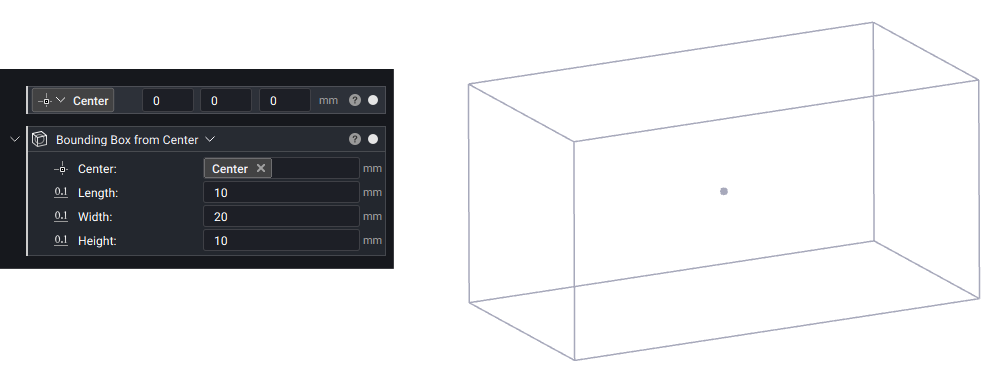
- The new Bounding Box from Center overload of the Bounding Box block creates a bounding box from a center point, length, width and height, which is useful when you know where a box is centered rather than where its corners are.
- Location: Create > Primitives
- Inputs:
- Center: Center point of the bounding box
- Length: Length of the box along X-axis.
- Width: Width of the box along Y-axis.
- Height: Height of the box along Z-axis.
- Output: Bounding Box
Mesh from Implicit by AT
- The Mesh from Implicit by AT block has a new overload that exposes more inputs to allow finer control over the meshes created with the block.
- Location: Utilities > Conversion
- Inputs:
- Body: Implicit body to convert.
- Tolerance: Maximum allowable deviation of the mesh from the implicit geometry.
- Sharpen: Preserve sharp edges, corners and walls thinner than the tolerance.
- Remesh: Remesh the adaptive tessellation for better triangle quality.
- Low Face Count: Reduce triangle count along thin walls, small gaps and high-curvature ridges.
- Max. Edge Length: Largest edge size allowed on the mesh. Defaults to 10% of the body's bounding box diagonal.
- Remesh Surf. Proj.: When remeshing, project vertices to the implicit surface.
- Remesh Sag Refine: When remeshing, refine high-curvature regions so edges stay within this fraction of the tolerance.
- Remesh Anisotropic: When remeshing with Sag Refine below 1.0, elongate triangles along curvature to reduce triangle count.
- Remesh Feature Align: When remeshing, align triangles to sharpened edges. On by default.
- Component Min. Size: Remove disconnected components smaller than this size. Defaults to 5x the tolerance.
- Output: Mesh