
Objective:
This example creates a bumpy texture on the surface by generating a series of random spheres.
Applies to:
- nTop
- Surface textures
- Lists
Procedure:
1. Extract the CAD surfaces where you want to add bumps, save them in a CAD Face List.
2. Use Mesh from CAD Body on the Face List.
3. Remesh Surface.
4. Merge Meshes to join the list into a single mesh object. This step is unnecessary if starting with a single CAD face.
5. Add a Random Points on Mesh block and enter the number of points you want to create. These points will locate the origin of each sphere.
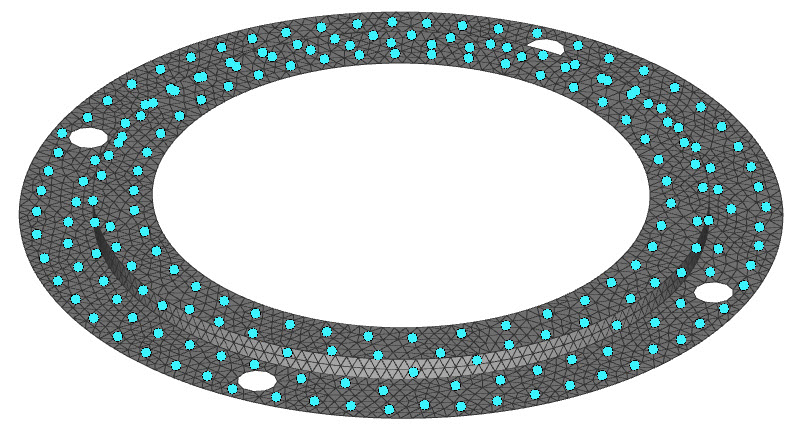
6. Add a Sphere block and input the Point List into the Center Point Input. Be sure to change the block type to Implicit Body List.
7. Boolean Union the Spheres to itself to get rid of the lists.
8. Boolean Union the Spheres with the original body to complete your part.
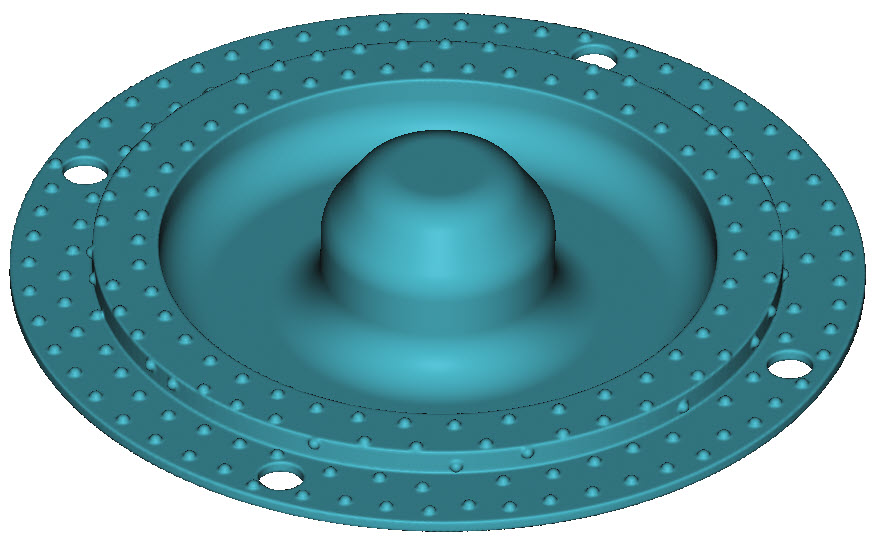
And that’s it! You’ve successfully added bumps to the surface of your part.
Are you still having issues? Contact the support team, and we’ll be happy to help!